 5d7d84eaca
Timers that switch grayscale off and restore it on their own: presets and
custom h/m/s timers, Quick Settings tile, launcher shortcuts, countdown
notification, reboot recovery, and optional always-in-color apps via an
accessibility service. WRITE_SECURE_SETTINGS is granted once via Shizuku
or adb.

Gradle project for F-Droid with fastlane metadata and a draft fdroiddata
recipe; build.sh keeps the Gradle-free on-phone Termux build.

Co-Authored-By: Claude Opus 5.5 <noreply@anthropic.com>
2.2 KiB
GrayPause
Keep your Android phone in grayscale, and take short color breaks that end by themselves, so you never forget to switch grayscale back on.
Features
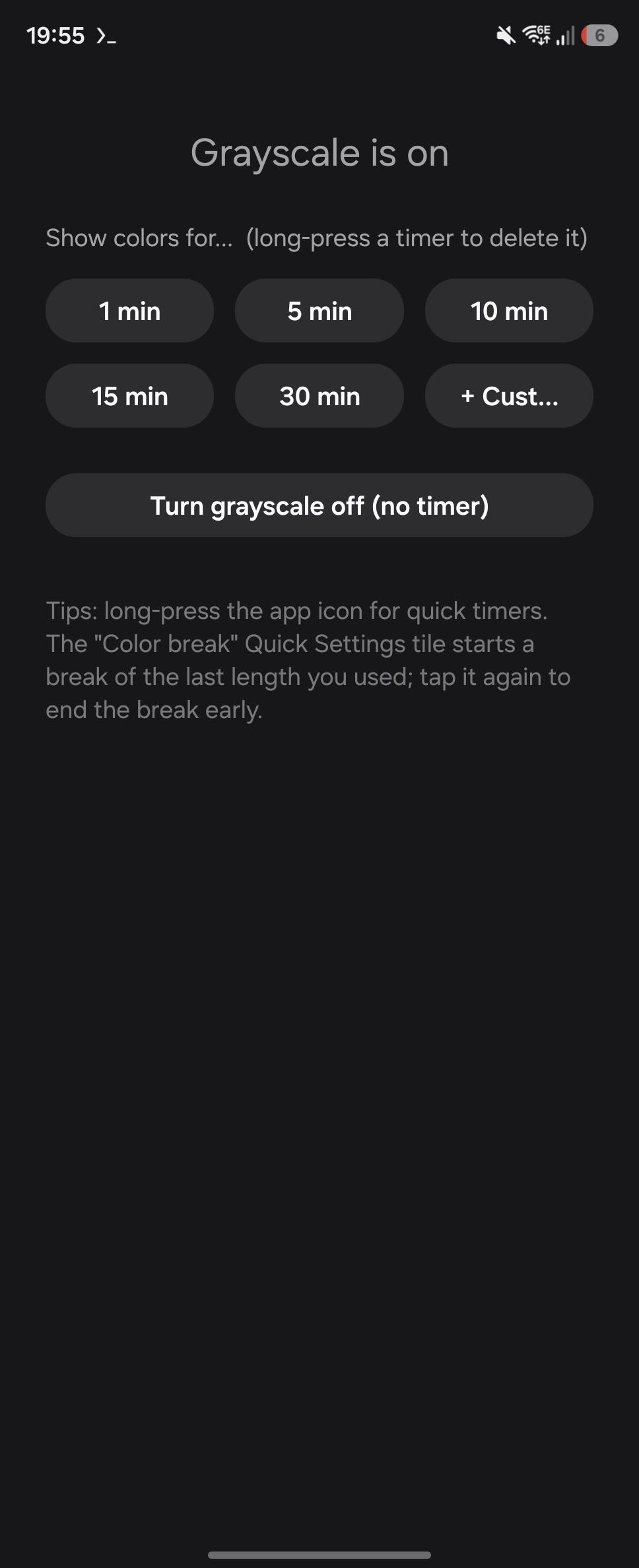
- One-tap timers (1/5/10/15/30 min by default), plus custom ones with hours, minutes and seconds. Long-press any timer to delete it.
- Quick Settings tile "Color break": starts a break of the last length used; tap again to end it early.
- Launcher shortcuts: long-press the app icon to start a timer directly.
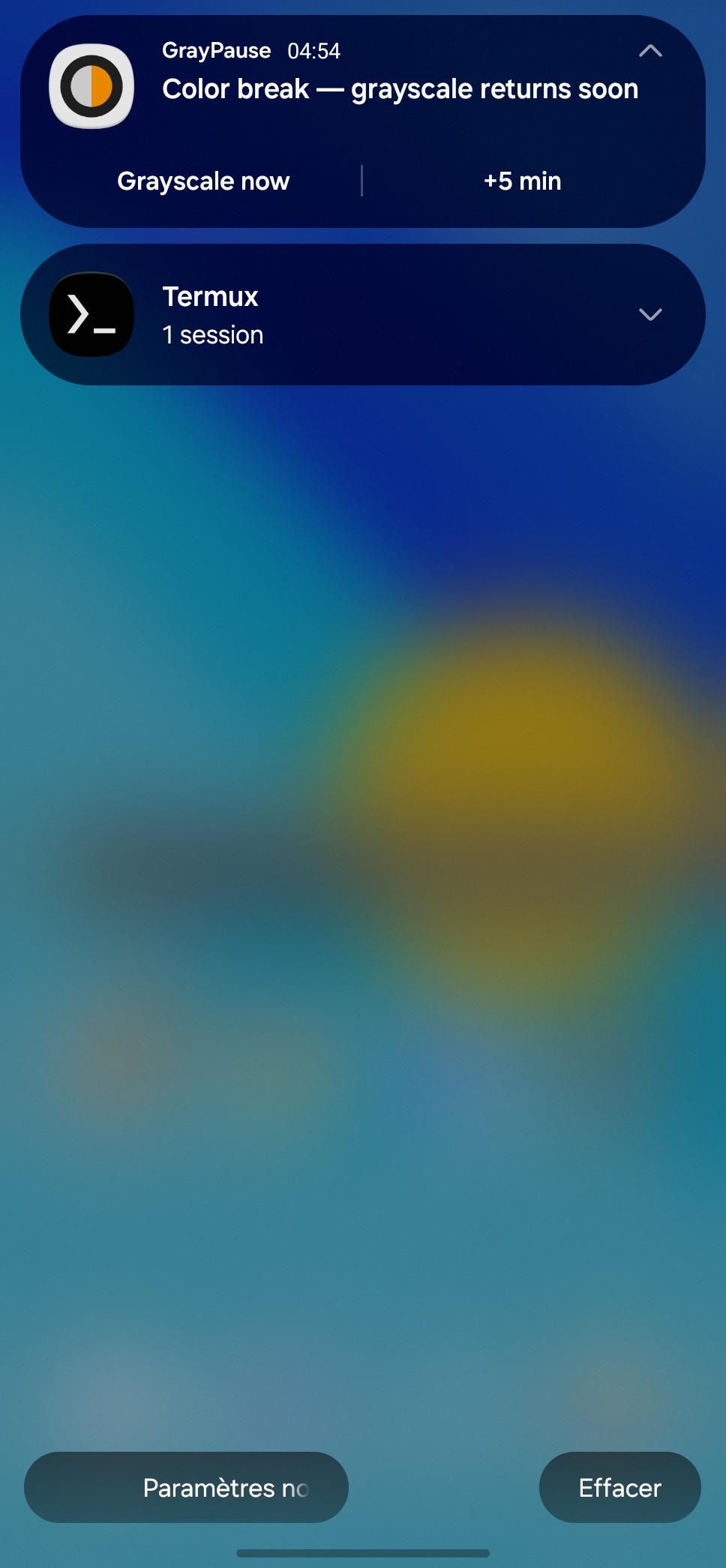
- Countdown notification with Grayscale now and +5 min.
- Color apps (optional): apps like your gallery or camera are always shown in color. Uses an accessibility service that only sees which app is in front.
- Reboot-safe: a running break is re-armed, or grayscale restored if time ran out.
No internet permission, no tracking, no dependencies beyond the Shizuku client library.
Setup: the one permission
Grayscale is a secure system setting (accessibility_display_daltonizer*), so the app
needs WRITE_SECURE_SETTINGS. Android has no switch for it in Settings; grant it once:
- Shizuku: start Shizuku, open GrayPause, tap Grant with Shizuku. Shizuku can be stopped afterwards.
- adb:
adb shell pm grant com.lpw.graypause android.permission.WRITE_SECURE_SETTINGS
The grant survives reboots and app updates (not an uninstall).
Building
Standard Gradle project (JDK 17+, Android SDK 36):
gradle assembleRelease # or ./gradlew
build.sh is an alternative Gradle-free debug build used to develop the app directly
on a phone in Termux (native aapt2/javac/apksigner, d8 from the SDK). It needs no
Android Studio, and tools/ZipAlign.java stands in for zipalign.
F-Droid
Store texts, icon and screenshots are in fastlane/metadata/android/en-US/ (F-Droid
reads them from the source tree). The draft fdroiddata recipe is
fdroid/com.lpw.graypause.yml; releases are tagged vX.Y.
License
GPL-3.0-or-later, see LICENSE.